


Clocy Player ✨️allows you to upload your favorite music
Clocy Player ✨️allows you to upload your favorite music
💿 Snap, Spin & Aesthetic! Instantly Addicted
💖 A Whole Vibe! Your Room Needs This
🎧 No wifi required — Offline Mode On
🎁 Warning: Will Make Any Music Fan Scream!
BUNDLE & SAVE
Couldn't load pickup availability
🌟 30-Day guarantee
🌟 30-Day guarantee
Yes, we offer afree 30-day guaranteefor added peace of mind. If you’re not satisfied, contact us within 30 days of receiving your order.
🎵 How do I choose the songs?
🎵 How do I choose the songs?
Here are the steps to link any song to a Clocy record:
Connect the MagTunes main unit to your laptop using the included USB-C cable.
Nine numbered folders will appear on your computer—each corresponding to a specific record.
Drag and drop an MP3 audio file into each folder.
Attach the numbered NFC chip to the back of your favorite record.
Place the record on the main unit—the music begins playing instantly; lift it off—and the music stops immediately.
Compatible with both Mac and Windows systems; no applications or drivers are required.
🎁 Is this a good gift?
🎁 Is this a good gift?
Yes. It is a great keepsake gift for couples, birthdays, anniversaries, K-pop fans, Swifties, best friends, and anyone who loves sentimental music gifts.

Clocy Player ✨️allows you to upload your favorite music


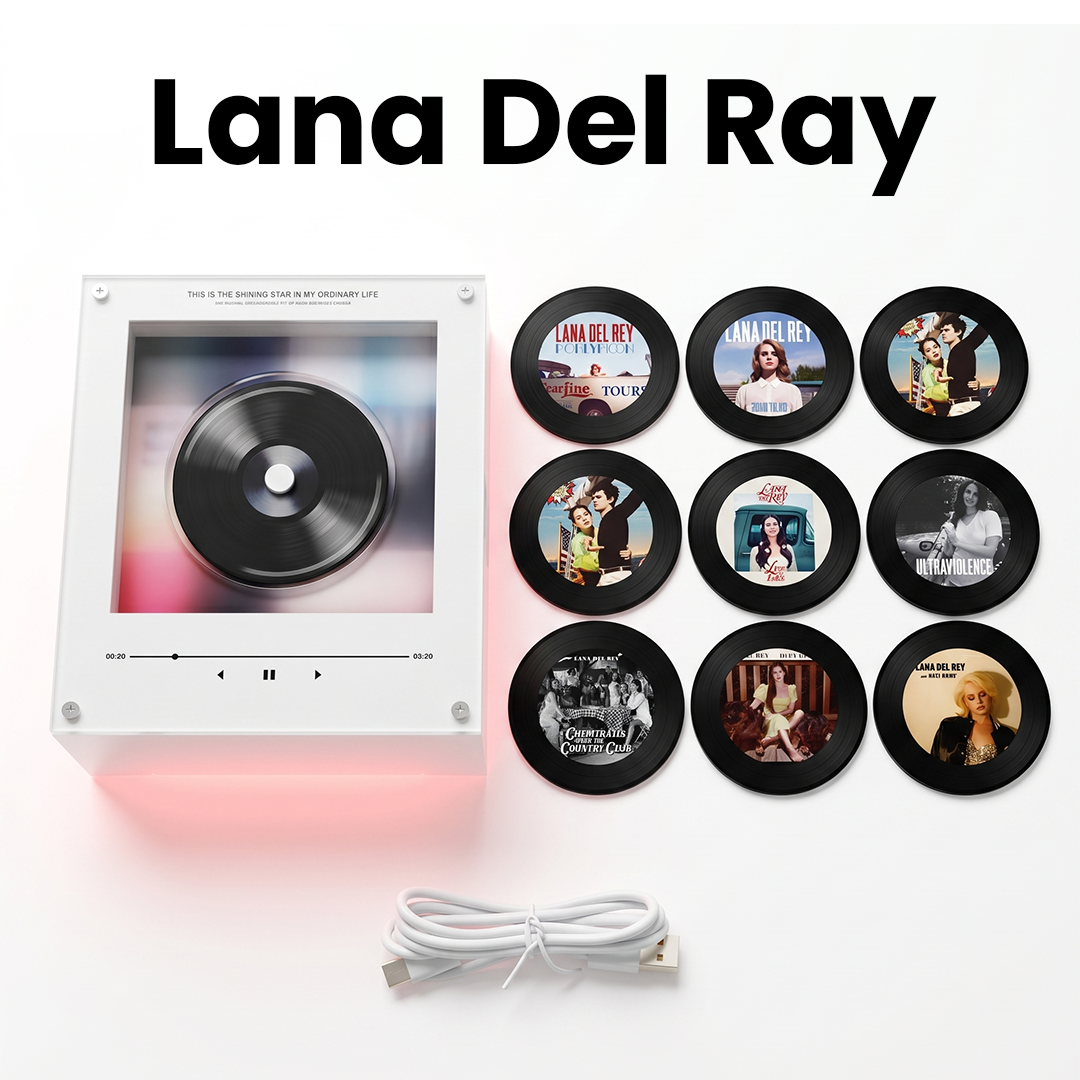
What's in the box 📦
Everything you need to kickstart your premium physical music journey.
The mini music box that plays your selected songs through the matching photo discs.
Each disc matches a numbered folder slot on the music box and holds one song.
Use the included cable to connect the music box to your laptop or PC and import your songs.
Gift-ready packaging made to feel special from the moment it arrives at your doorstep.
A simple guide is included to help you add your songs and get started right away.
How to add your own song ✨
Customize your custom vinyl player in 6 simple steps.
Use the included USB cable to connect the Clocy Music Box to your laptop or PC.
A folder named "NO NAME" will appear on your computer screen. Simply click to open it.
Inside, you will see folders labeled 1–9. Each folder matches one magnetic photo disc.
Check the number or symbol on the back of your disc and open the matching folder on your computer.
Drag your MP3 file into the correct folder. Use standard MP3 format for best compatibility.
Safely eject the device, attach the disc to the music box, and your selected song is ready to play on repeat!
What do our customers think?
-

★★★★★
Love thisss
I stuck this on my fridge on a Tuesday morning and haven't stopped listening to music since. The sound is surprisingly loud for something so tiny, and swapping the discs feels genuinely satisfying. My kids think it's magic and I'm having a blast.
-

★★★★★
My kitchen has a personality now
Never thought a fridge could be a conversation starter. Every single person who walks into my kitchen asks about it. I also like that I can easily bring it to my desk whenever I want. I've ordered two more as gifts already
-

★★★★★
Best impulse buy I've ever made
It's the first thing I go to every morning while making coffee. Love some Michael Jackson to start my day. Not a tech nut but customising the songs was pretty simple with the instructions. 10/10 Would recommend.


Bring the vibes
Link any song you want to any disc and vibe whenever you want, no wifi required!
What's in the box?
1x MagTunes Music player
1x USB-C charging cable
9x Mini Magnetic Vinyls